
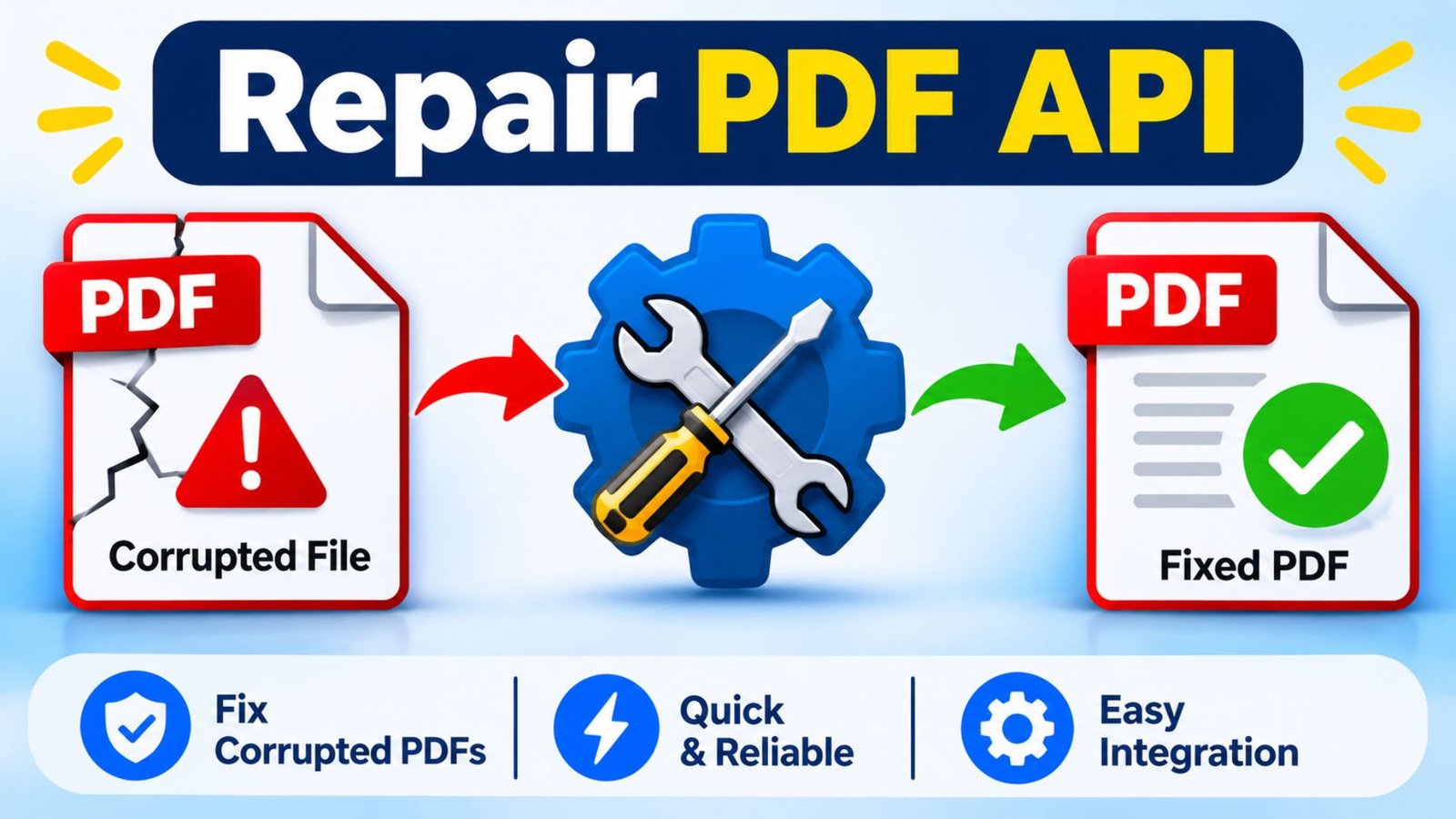
Repair PDF API: Complete Guide to PDF Repair and Automation
PDF files are essential for sharing reports, invoices, contracts, forms, and business documents. However, damaged files, corrupted content, broken formatting, and unreadable pages can interrupt important work. A repair PDF API gives developers a way to integrate PDF recovery into applications and automate document-processing tasks. By combining PDF repair with merging, editing, and HTML conversion capabilities, businesses can build smoother document workflows and reduce manual work.
1. What Is a Repair PDF API?
A repair PDF API is a software interface that allows developers to process PDF files and attempt to recover documents that cannot open, display, or process correctly.
Instead of asking users to repair every document manually, developers can connect an API to a website, mobile application, or business platform. The application sends a PDF file for processing and receives a repaired file or an error response.
Depending on the service, PDF recovery may involve:
- Checking damaged PDF structures.
- Rebuilding document references.
- Recovering readable pages and content.
- Detecting broken objects or invalid file data.
- Identifying missing or unsupported fonts.
- Recreating a clean PDF from recovered content.
- Validating the output before downloading.
Not every PDF API offers a dedicated repair endpoint. Some services provide document validation, conversion, extraction, or reconstruction instead. Developers should confirm that the provider supports actual PDF recovery before choosing an integration.
2. Why Do PDF Files Become Damaged?
PDF files can become corrupted for several technical and practical reasons. Understanding these problems helps developers choose the right recovery method.
Common causes include:
Incomplete downloads: A connection interruption can prevent the complete PDF from reaching the user’s device.
Unexpected system shutdowns: A computer or server may stop while an application writes data to a PDF file.
Storage problems: Faulty drives, damaged memory cards, and file-system errors can affect document data.
Incorrect file processing: An application may generate an incomplete or incorrectly structured PDF.
Unsupported content: Certain fonts, embedded objects, or complex document features may cause processing problems.
Transfer errors: Uploading or transferring files through unstable connections can result in incomplete documents.
A repair workflow should identify the underlying problem before attempting recovery. This reduces unnecessary processing and helps users understand whether a document can be restored.
3. How Does a Repair PDF API Work?
A PDF recovery integration usually follows a structured process. The exact steps depend on the API provider, but the general workflow remains similar.
- PDF file upload: The application accepts a PDF from the user and transfers it securely to the processing service.
- Document validation: The system checks the file type, file size, structure, permissions, and other supported properties.
- Damage detection: The processing engine identifies missing references, malformed objects, or other structural problems.
- Recovery attempt: The repair engine attempts to reconstruct readable document data and restore supported content.
- Output generation: The system creates a recovered PDF when the available document information allows it.
- Final validation and download: The application checks the resulting file and makes it available to the user.
A successful recovery should preserve as much original content as possible. However, no API can guarantee the restoration of information that has been permanently lost.
4. What Features Should a Good Repair PDF API Include?
The right features depend on the application and the documents it processes. A developer should evaluate more than the ability to upload and download files.
| Feature | Purpose | Main benefit |
|---|---|---|
| PDF validation | Checks document structure | Detects invalid files |
| Damage detection | Identifies PDF problems | Helps select recovery methods |
| PDF recovery | Attempts to restore damaged content | Improves document accessibility |
| Merge PDF | Combines multiple files | Simplifies document management |
| Edit PDF | Supports supported document changes | Reduces manual work |
| HTML to PDF | Converts web content into PDFs | Automates document creation |
| OCR | Extracts text from scanned pages | Makes scanned content searchable |
| Compression | Reduces PDF file size | Improves sharing and storage |
| Page management | Reorders or removes pages | Improves document organization |
| Security controls | Protects document access | Supports safer processing |
| Error reporting | Explains processing failures | Improves troubleshooting |
| API authentication | Controls access to services | Protects application resources |
A reliable solution should also provide clear documentation, predictable responses, file-size limits, and information about processing failures.
5. How Does Merge PDF API Support Document Management?
A Merge PDF API allows developers to combine two or more PDF files into one document automatically.
This feature is useful when users need to organize separate reports, invoices, application forms, or business records.
For example, a company may receive five PDF invoices from different departments. Instead of asking an employee to combine them manually, an application can send the documents to a merging service and produce one organized PDF.
Important Merge PDF API capabilities include:
- Combining multiple PDF files.
- Maintaining the selected document order.
- Supporting page-range selection.
- Inserting pages into existing documents.
- Checking the final document.
- Returning a downloadable PDF.
A useful merge workflow should validate each input file before processing. This helps prevent one invalid document from interrupting the entire operation.
6. How Does Edit PDF API Improve Document Processing?
An Edit PDF API allows applications to make supported changes to PDF documents without requiring users to open a separate desktop editor.
Depending on the provider, editing capabilities may include:
- Adding or removing pages.
- Rotating PDF pages.
- Reordering document pages.
- Adding watermarks.
- Inserting new content.
- Updating supported document elements.
- Managing document metadata.
For example, an employee may need to remove an unnecessary page from a business report or rotate a scanned page before sharing the document.
An Edit PDF API can automate these operations through an application interface.
However, developers should understand the difference between page-level editing and editing existing text. Not every PDF service supports changing arbitrary text, images, fonts, or complex layouts inside an existing document.
Choose a provider according to the exact editing operations your application requires.
7. What Is an HTML to PDF API?
An HTML to PDF API converts web pages, HTML templates, or dynamically generated content into PDF documents.
It is particularly useful for businesses that create documents from online forms, databases, and web applications.
For example, an e-commerce platform can generate a PDF invoice after a customer completes an order. A booking website can create a downloadable confirmation document using information from its database.
Common HTML to PDF API applications include:
- Online invoices and receipts.
- Business proposals.
- Downloadable reports.
- Booking confirmations.
- Product catalogs.
- Registration documents.
- Employee records.
- Financial statements.
A quality conversion process should consider page dimensions, margins, fonts, images, CSS styling, headers, footers, and page breaks.
8. Can You Combine PDF Repair, Editing, Merging, and HTML Conversion?
Yes. Developers can build a document-processing platform that combines these capabilities into one application.
However, they may need different API operations or services to complete the workflow.
Consider an online business document platform:
- A user uploads a damaged PDF.
- The application checks whether the file can be processed.
- A recovery service attempts to restore the document.
- The application validates the recovered output.
- An editing operation removes unwanted pages.
- A merge operation combines the document with supporting files.
- An HTML conversion operation generates a final report or cover sheet.
- The platform delivers the completed PDF.
This approach reduces repetitive work and creates a consistent document management experience.
The important requirement is to verify every processing stage. A successful upload does not automatically mean that the document has been repaired correctly.
9. What Types of Businesses Can Use a Repair PDF API?
PDF processing is useful across industries because businesses regularly create, receive, and share digital documents.
Education: Schools and universities can process assignments, certificates, study materials, and examination documents.
Healthcare administration: Administrative systems can organize supported forms, reports, and records while following applicable privacy requirements.
Finance: Financial platforms can manage statements, invoices, reports, and supporting documents.
E-commerce: Online stores can generate invoices, receipts, and order confirmations.
Legal services: Law firms can organize contracts, agreements, applications, and case-related documents.
Real estate: Property platforms can prepare rental agreements, property reports, and application documents.
Human resources: HR systems can manage employee forms, offer letters, and employment documents.
The most suitable implementation depends on document sensitivity, processing volume, recovery requirements, and security policies.
10. How to Integrate a Repair PDF API Into Your Application
API integration becomes easier when developers divide the process into smaller tasks.
Step 1: Choose an API provider
Compare available PDF services and confirm whether they offer genuine recovery functionality.
Review their supported file types, documentation, pricing, processing limits, and security policies.
Step 2: Create API credentials
Register with the selected provider and generate the required API credentials.
Keep private keys on the backend rather than exposing them in browser-based JavaScript.
Step 3: Build the upload feature
Create a file-upload interface that accepts valid PDF documents.
Apply file-size limits, file-type checks, and suitable access controls.
Step 4: Send the document for processing
Your backend should communicate with the API using its documented authentication and request format.
Step 5: Handle processing results
Check whether the operation succeeded, failed, or requires additional processing.
Return clear messages instead of showing users confusing technical errors.
Step 6: Validate the recovered document
Check whether the resulting file opens correctly and whether its pages and content remain usable.
Step 7: Provide a download option
Allow users to download the processed document through a secure link or authenticated application session.
Step 8: Monitor performance
Record processing times, failure rates, file sizes, and API errors.
These records help developers identify problems and improve the application over time.
11. How to Choose the Best Repair PDF API
Choosing an API requires careful comparison because different providers offer different document-processing operations.
Consider these factors before making a decision:
- Recovery capabilities: Confirm whether the provider can recover damaged PDF structures.
- Documentation: Look for clear API references and working integration examples.
- Supported operations: Check repair, editing, merging, conversion, and OCR features.
- File limitations: Review maximum file size and page restrictions.
- Security: Understand encryption, data retention, access controls, and deletion policies.
- Performance: Test how quickly the service processes documents.
- Pricing: Compare subscription costs, transaction charges, and usage limits.
- Scalability: Make sure the service can support expected traffic.
- Error handling: Check whether the provider explains unsuccessful operations.
- Technical support: Evaluate available troubleshooting resources.
Do not select a service based only on the number of advertised features. Test it with representative documents before using it in a production application.
12. What Are the Common Limitations of PDF Repair APIs?
Although PDF recovery services can solve many document problems, they have technical limitations.
| Limitation | Why It Happens | Recommended Action |
|---|---|---|
| Severely corrupted files | Essential document data is missing | Try another recovery method |
| Missing pages | Original page information may be lost | Check backups or original files |
| Password-protected PDFs | Access restrictions prevent processing | Obtain authorized access |
| Unsupported fonts | Font data may be damaged | Test font substitution |
| Large documents | Processing limits may apply | Split files when supported |
| Complex layouts | Some elements may not recover correctly | Compare the output with the original |
| Invalid file format | Uploaded content is not a valid PDF | Verify the file before processing |
| Network interruption | Upload or download may be incomplete | Retry with safe upload handling |
Developers should also remember that a structurally valid PDF is not necessarily a visually accurate copy of the original.
13. Best Practices for Secure PDF API Integration
Security should be a priority whenever an application processes business or personal documents.
Follow these practices:
- Use HTTPS for all file transfers.
- Store API credentials securely.
- Validate uploaded files before processing.
- Restrict file access to authorized users.
- Delete temporary files when they are no longer required.
- Apply file-size and upload limits.
- Avoid storing sensitive documents unnecessarily.
- Monitor unusual API activity.
- Follow relevant privacy and data protection requirements.
These measures help protect documents and create a safer experience for application users.
14. How Can Developers Improve PDF Processing Performance?
Efficient processing helps applications handle more documents without unnecessary delays.
Developers can improve performance through several practical methods.
Use asynchronous processing: Large documents may take time to process. Background jobs prevent users from waiting on a single request.
Optimize file sizes: Compress documents when appropriate before transferring them.
Use secure temporary storage: Store uploaded files in controlled locations and remove them after processing.
Implement retry handling: Temporary network problems should not immediately result in permanent failures.
Monitor API usage: Track processing time, failed requests, and resource consumption.
Validate before processing: Reject unsupported files early to reduce unnecessary API requests.
These improvements make document-processing applications easier to maintain and scale.
15. Frequently Asked Questions About Repair PDF API
1. What is a repair PDF API?
A repair PDF API is an integration that allows applications to detect and attempt to recover damaged PDF documents. It helps developers automate document recovery without requiring users to repair files manually.
2. Can a repair PDF API recover every corrupted PDF?
No. Recovery depends on the type and severity of the damage. Some files contain enough readable information for reconstruction, while severely damaged files may be impossible to restore completely.
3. Can I combine a repair PDF API with a Merge PDF API?
Yes. Developers can use separate API operations to recover documents and combine multiple PDF files. They should validate each document before merging to avoid processing problems.
4. What is the difference between a Repair PDF API and an Edit PDF API?
A repair PDF API attempts to recover damaged document structures or content. An Edit PDF API changes supported document elements, such as pages, annotations, or other editable content.
5. Can an HTML to PDF API generate invoices automatically?
Yes. An HTML to PDF API can convert invoice templates and dynamic HTML content into downloadable PDF documents. Businesses can use this functionality to automate receipts, invoices, and reports.
6. Is a repair PDF API suitable for business applications?
Yes. Businesses can integrate PDF recovery and other document-processing operations into websites, mobile applications, and internal platforms. They should evaluate security, recovery capabilities, pricing, and processing limits before selecting a provider.
Conclusion
A repair PDF API can make document management easier by allowing developers to automate PDF validation and recovery workflows. When combined with Merge PDF API, Edit PDF API, and HTML to PDF API functionality, it can support a complete document-processing environment.
The best approach is to select a service based on actual recovery capabilities, security requirements, documentation, and performance. Test it with different PDF files before launching it in production.
Whether you are building an online PDF tool, business application, or document management platform, investing in reliable PDF processing can reduce manual work and improve the overall user experience.
Is this conversation helpful so far?
One Comment